pacman::p_load(tidytext, widyr, wordcloud, DT, ggwordcloud, textplot, lubridate, hms,
tidyverse, tidygraph, ggraph, igraph)Hands-on Exercise 5 - Visualising and Analysing Text Data
Learning Objectives:
understand tidytext framework for processing, analysing and visualising text data,
write function for importing multiple files into R,
combine multiple files into a single data frame,
clean and wrangle text data by using tidyverse approach,
visualise words with Word Cloud,
compute term frequency–inverse document frequency (TF-IDF) using tidytext method, and
visualising texts and terms relationship.
Getting Started
Installing and loading the required libraries
The following R packages will be used:
tidytext, tidyverse (mainly readr, purrr, stringr, ggplot2)
widyr,
wordcloud and ggwordcloud,
textplot (required igraph, tidygraph and ggraph, )
DT,
lubridate and hms.
Code chunk below will be used to check if these packages have been installed and also will load them into the working R environment.
Importing Multiple Text Files from Multiple Folders
Creating a folder list
news20 <- "data/news20/"Define a function to read all files from a folder into a data frame
read_folder <- function(infolder) {
  tibble(file = dir(infolder,
                    full.names = TRUE)) %>%
    mutate(text = map(file,
                      read_lines)) %>%
    transmute(id = basename(file),
              text) %>%
    unnest(text)
}
Importing Multiple Text Files from Multiple Folders
Reading in all the messages from the 20news folder
read_lines()of readr package is used to read up to n_max lines from a file.map()of purrr package is used to transform their input by applying a function to each element of a list and returning an object of the same length as the input.unnest()of dplyr package is used to flatten a list-column of data frames back out into regular columns.mutate()of dplyr is used to add new variables and preserves existing ones;transmute()of dplyr is used to add new variables and drops existing ones.read_rds()is used to save the extracted and combined data frame as rds file for future use.
raw_text <- tibble(folder =
                     dir(news20,
                         full.names = TRUE)) %>%
  mutate(folder_out = map(folder,
                          read_folder)) %>%
  unnest(cols = c(folder_out)) %>%
  transmute(newsgroup = basename(folder),
            id, text)
write_rds(raw_text, "data/rds/news20.rds")
Initial EDA
Figure below shows the frequency of messages by newsgroup.
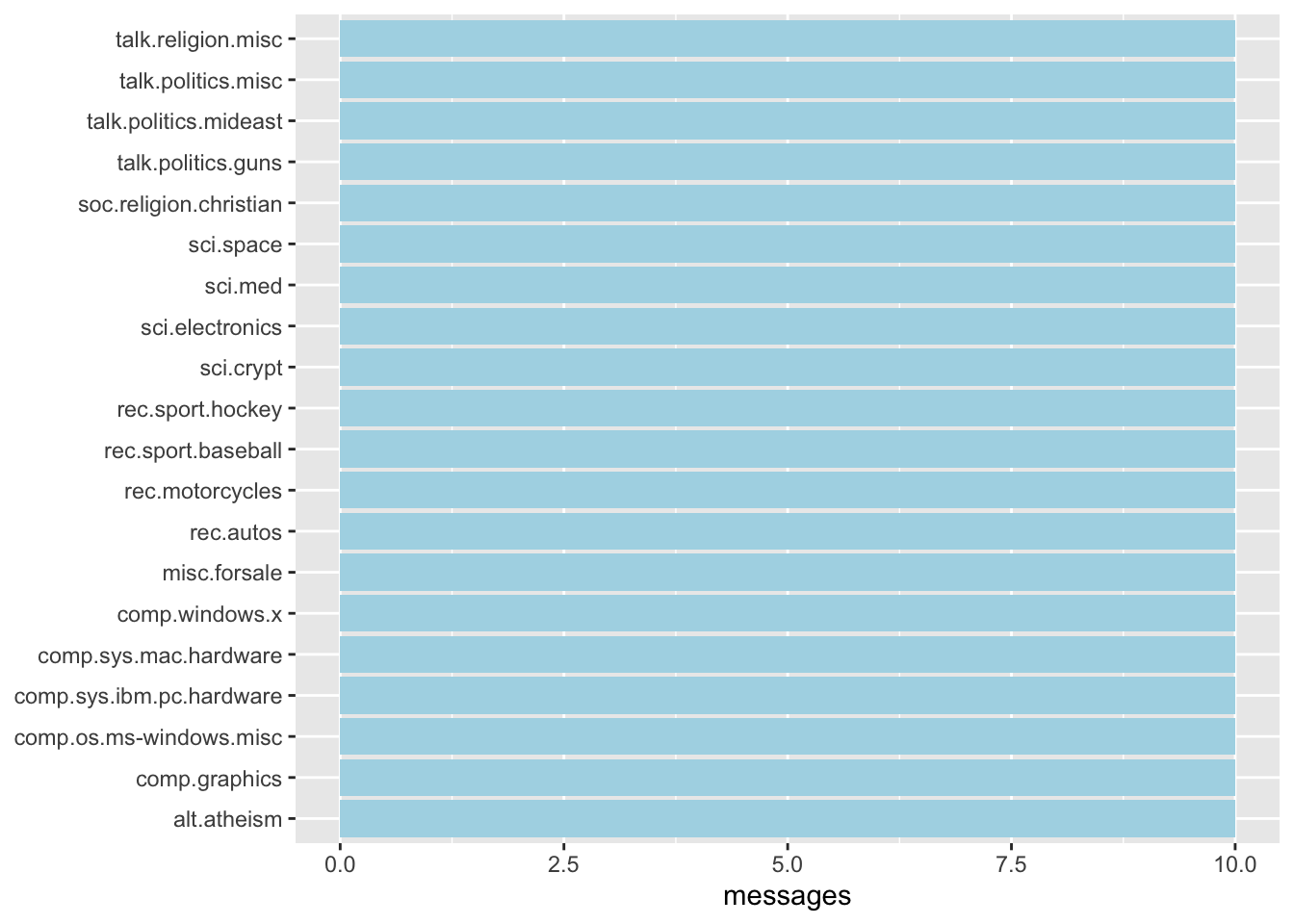
raw_text <- read_rds("data/rds/news20.rds")
raw_text %>%
  group_by(newsgroup) %>%
  summarize(messages = n_distinct(id)) %>%
  ggplot(aes(messages, newsgroup)) +
  geom_col(fill = "lightblue") +
  labs(y = NULL)
Introducing tidytext
Using tidy data principles in processing, analysing and visualising text data.
Much of the infrastructure needed for text mining with tidy data frames already exists in packages like ‘dplyr’, ‘broom’, ‘tidyr’, and ‘ggplot2’.
Removing header and automated email signitures
Each message contains certain structural elements and additional text that are undesirable for inclusion in the analysis. For example:
Header containing fields such as “from:” or “in_reply_to:”
Automated email signatures, which occur after a line like “–”.
The code chunk below uses:
cumsum()of base R to return a vector whose elements are the cumulative sums of the elements of the argument.str_detect()from stringr to detect the presence or absence of a pattern in a string.
cleaned_text <- raw_text %>%
  group_by(newsgroup, id) %>%
  filter(cumsum(text == "") > 0,
         cumsum(str_detect(
           text, "^--")) == 0) %>%
  ungroup()
Removing lines with nested text representing quotes from other users
Regular expressions are used to remove with nested text representing quotes from other users.
str_detect()from stringr is used to detect the presence or absence of a pattern in a string.filter()of dplyr package is used to subset a data frame, retaining all rows that satisfy the specified conditions.
cleaned_text <- cleaned_text %>%
  filter(str_detect(text, "^[^>]+[A-Za-z\\d]")
         | text == "",
         !str_detect(text,
                     "writes(:|\\.\\.\\.)$"),
         !str_detect(text,
                     "^In article <")
  )
Text Data Processing
unnest_tokens()of tidytext package is used to split the dataset into tokensstop_words()is used to remove stop-words
usenet_words <- cleaned_text %>%
  unnest_tokens(word, text) %>%
  filter(str_detect(word, "[a-z']$"),
         !word %in% stop_words$word)
Headers, signatures and formatting have been removed. The code chunk below calculates individual word frequncies to explore common words in the dataset.
usenet_words %>%
  count(word, sort = TRUE)
# A tibble: 5,542 × 2
word n
<chr> <int>
1 people 57
2 time 50
3 jesus 47
4 god 44
5 message 40
6 br 27
7 bible 23
8 drive 23
9 homosexual 23
10 read 22
# ℹ 5,532 more rowsWord frequencies within newsgroup
words_by_newsgroup <- usenet_words %>%
  count(newsgroup, word, sort = TRUE) %>%
  ungroup()
Visualising Words in newsgroups
wordcloud()of wordcloud package is used to plot a static wordcloud
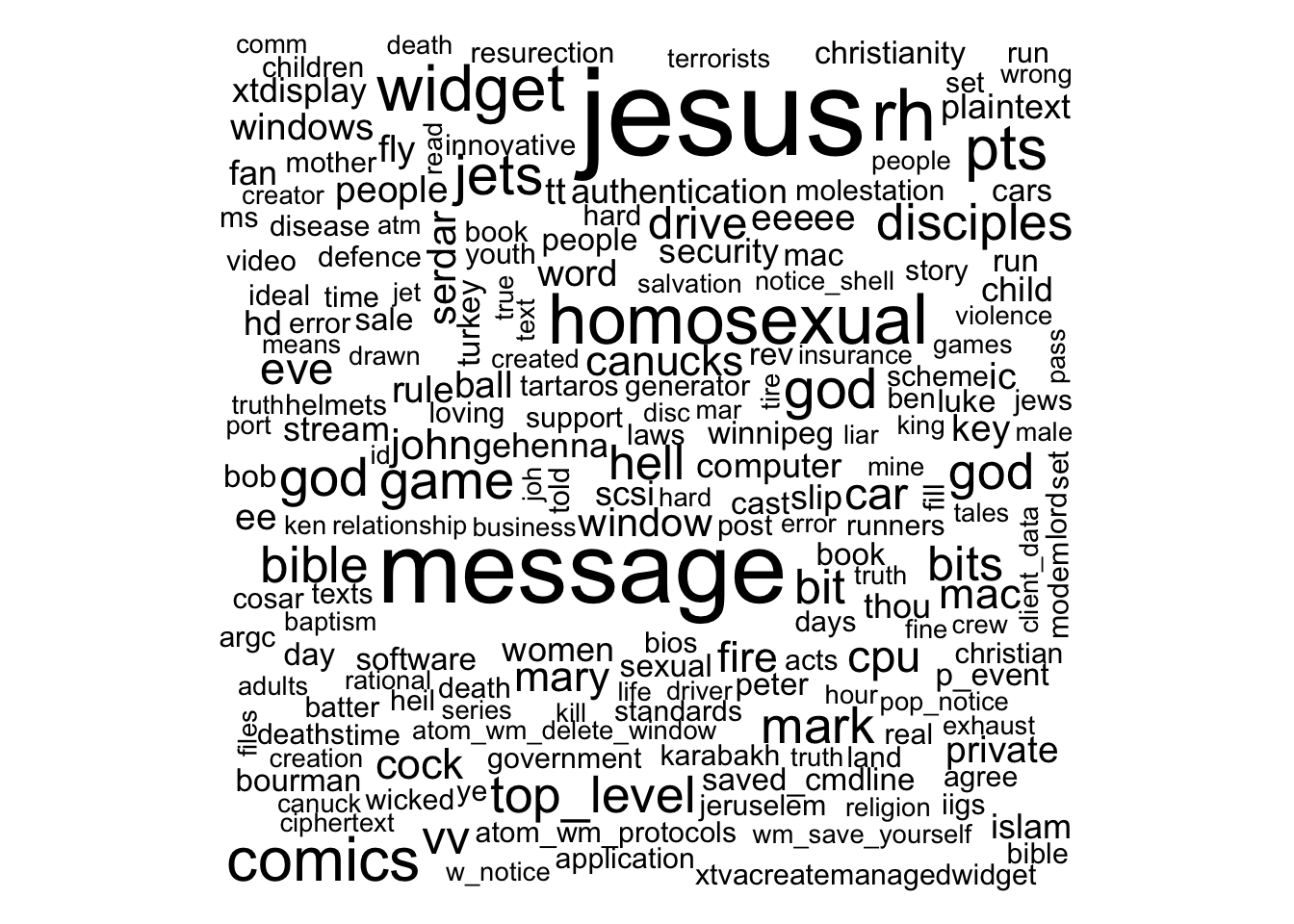
wordcloud(words_by_newsgroup$word,
          words_by_newsgroup$n,
          max.words = 300)
A DT table can be used to complement the visual discovery.
# Create a data frame with word frequency data
word_freq_table <- data.frame(Word = words_by_newsgroup$word,
                              Frequency = words_by_newsgroup$n)

# Render the DataTable
datatable(word_freq_table,
          options = list(pageLength = 10))
Visualising Words in newsgroups
ggwordcloud package is used to plot the wordcloud below
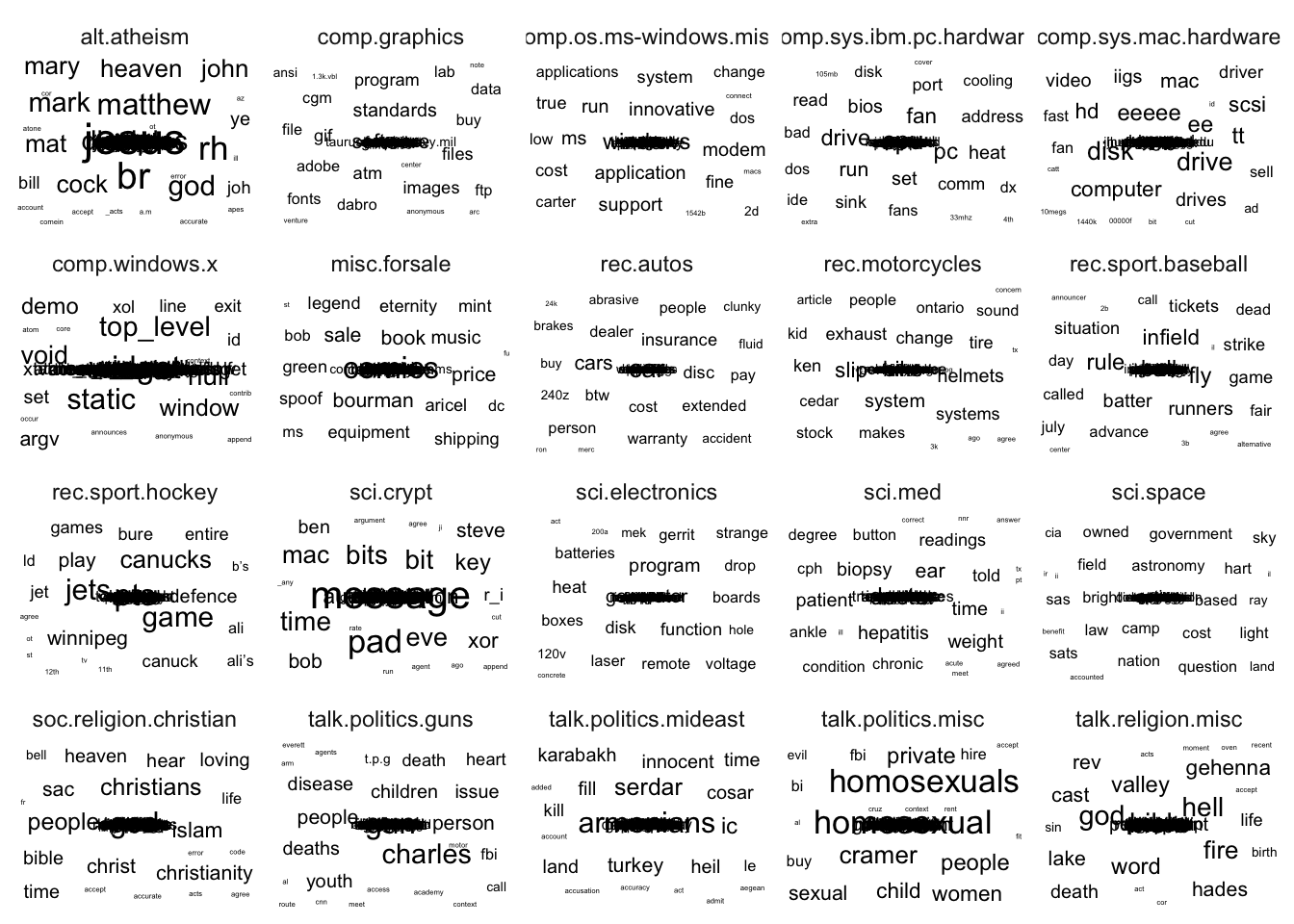
set.seed(1234)

words_by_newsgroup %>%
  filter(n > 0) %>%
ggplot(aes(label = word,
           size = n)) +
  geom_text_wordcloud() +
  theme_minimal() +
  facet_wrap(~newsgroup)
Basic Concept of TF-IDF
tf–idf, short for term frequency–inverse document frequency, is a numerical statistic that is intended to reflect how important a word is to a document in a collection of corpus.
\(idf(term) = ln \frac{n_{documents}}{n_{documents containing term}}\)
Computing tf-idf within newsgroups
bind_tf_idf() of tidytext is used to compute and bind the term frequency, inverse document frequency and ti-idf of a tidy text dataset to the dataset.
tf_idf <- words_by_newsgroup %>%
  bind_tf_idf(word, newsgroup, n) %>%
  arrange(desc(tf_idf))
Visualising tf-idf as interactive table
Interactive table created by using datatable() to create a html table that allows pagination of rows and columns.
The code chunk below also uses:
filter()argument is used to turn control the filter UI.formatRound()is used to customise the values format. The argument digits define the number of decimal places.formatStyle()is used to customise the output table. In this example, the arguments target and lineHeight are used to reduce the line height by 25%.
DT::datatable(tf_idf, filter = 'top') %>%
  formatRound(columns = c('tf', 'idf',
                          'tf_idf'),
              digits = 3) %>%
  formatStyle(0,
              target = 'row',
              lineHeight='25%')
Visualising tf-idf within newsgroups
Facet bar charts technique is used to visualise the tf-idf values of science related newsgroup.
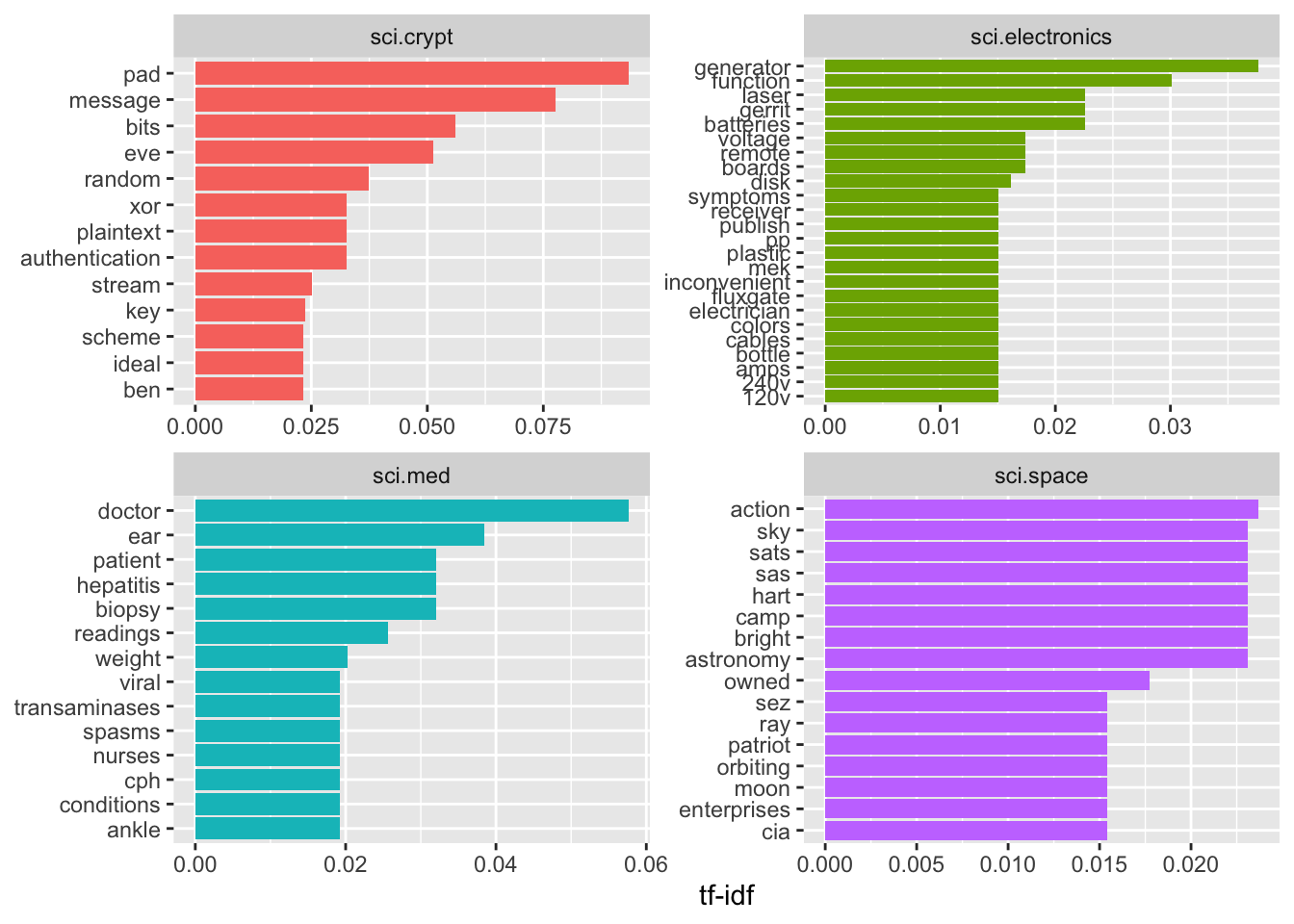
tf_idf %>%
  filter(str_detect(newsgroup, "^sci\\.")) %>%
  group_by(newsgroup) %>%
  slice_max(tf_idf,
            n = 12) %>%
  ungroup() %>%
  mutate(word = reorder(word,
                        tf_idf)) %>%
  ggplot(aes(tf_idf,
             word,
             fill = newsgroup)) +
  geom_col(show.legend = FALSE) +
  facet_wrap(~ newsgroup,
             scales = "free") +
  labs(x = "tf-idf",
       y = NULL)
Counting and correlating pairs of words with the widyr package
To count the number of times that two words appear within the same document, or to see how correlated they are.
Most operations for finding pairwise counts or correlations need to turn the data into a wide matrix first.
widyr package first ‘casts’ a tidy dataset into a wide matrix, performs an operation such as a correlation on it, then re-tidies the result.
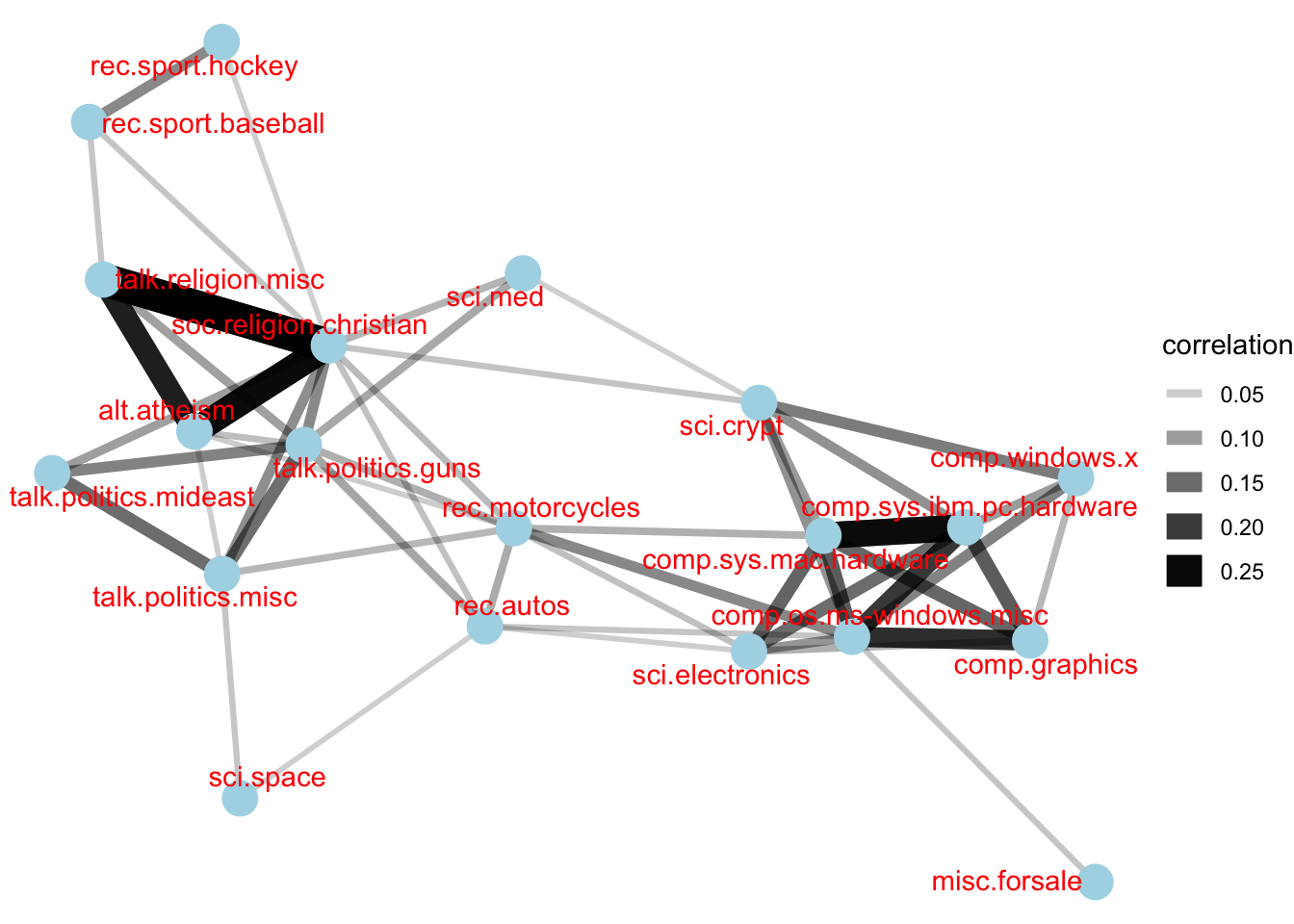
In this code chunk below, pairwise_cor() of widyr package is used to compute the correlation between newsgroup based on the common words found.
newsgroup_cors <- words_by_newsgroup %>%
  pairwise_cor(newsgroup,
               word,
               n,
               sort = TRUE)
Visualising correlation as a network
Relationship between newgroups is visualised as a network graph
set.seed(2017)

newsgroup_cors %>%
  filter(correlation > .025) %>%
  graph_from_data_frame() %>%
  ggraph(layout = "fr") +
  geom_edge_link(aes(alpha = correlation,
                     width = correlation)) +
  geom_node_point(size = 6,
                  color = "lightblue") +
  geom_node_text(aes(label = name),
                 color = "red",
                 repel = TRUE) +
  theme_void()
Bigram
Created by using unnest_tokens() of tidytext.
# A tibble: 28,824 × 3
   newsgroup   id    bigram
   <chr>       <chr> <chr>
 1 alt.atheism 54256 <NA>
 2 alt.atheism 54256 <NA>
 3 alt.atheism 54256 as i
 4 alt.atheism 54256 i don't
 5 alt.atheism 54256 don't know
 6 alt.atheism 54256 know this
 7 alt.atheism 54256 this book
 8 alt.atheism 54256 book i
 9 alt.atheism 54256 i will
10 alt.atheism 54256 will use
# ℹ 28,814 more rows
bigrams <- cleaned_text %>%
unnest_tokens(bigram,
text,
token = "ngrams",
n = 2)
bigramsCounting bigrams
Count and sort the bigram data frame ascendingly
# A tibble: 19,885 × 2
   bigram       n
   <chr>    <int>
 1 of the     169
 2 in the     113
 3 to the      74
 4 to be       59
 5 for the     52
 6 i have      48
 7 that the    47
 8 if you      40
 9 on the      39
10 it is       38
# ℹ 19,875 more rows
bigrams_count <- bigrams %>%
filter(bigram != 'NA') %>%
count(bigram, sort = TRUE)
bigrams_countCleaning bigram
Seperate the bigram into two words
# A tibble: 4,604 × 4
   newsgroup   id    word1        word2
   <chr>       <chr> <chr>        <chr>
 1 alt.atheism 54256 defines      god
 2 alt.atheism 54256 term         preclues
 3 alt.atheism 54256 science      ideas
 4 alt.atheism 54256 ideas        drawn
 5 alt.atheism 54256 supernatural precludes
 6 alt.atheism 54256 scientific   assertions
 7 alt.atheism 54256 religious    dogma
 8 alt.atheism 54256 religion     involves
 9 alt.atheism 54256 involves     circumventing
10 alt.atheism 54256 gain         absolute
# ℹ 4,594 more rows
bigrams_separated <- bigrams %>%
filter(bigram != 'NA') %>%
separate(bigram, c("word1", "word2"),
sep = " ")
bigrams_filtered <- bigrams_separated %>%
filter(!word1 %in% stop_words$word) %>%
filter(!word2 %in% stop_words$word)Counting the bigram again
bigram_counts <- bigrams_filtered %>%
  count(word1, word2, sort = TRUE)
Create a network graph from bigram data frame
A network graph is created by using graph_from_data_frame() of igraph package.
bigram_graph <- bigram_counts %>%
  filter(n > 3) %>%
  graph_from_data_frame()
bigram_graph
IGRAPH 95ea16f DN-- 40 24 --
+ attr: name (v/c), n (e/n)
+ edges from 95ea16f (vertex names):
[1] 1 ->2 1 ->3 static ->void
[4] time ->pad 1 ->4 infield ->fly
[7] mat ->28 vv ->vv 1 ->5
[10] cock ->crow noticeshell->widget 27 ->1993
[13] 3 ->4 child ->molestation cock ->crew
[16] gun ->violence heat ->sink homosexual ->male
[19] homosexual ->women include ->xol mary ->magdalene
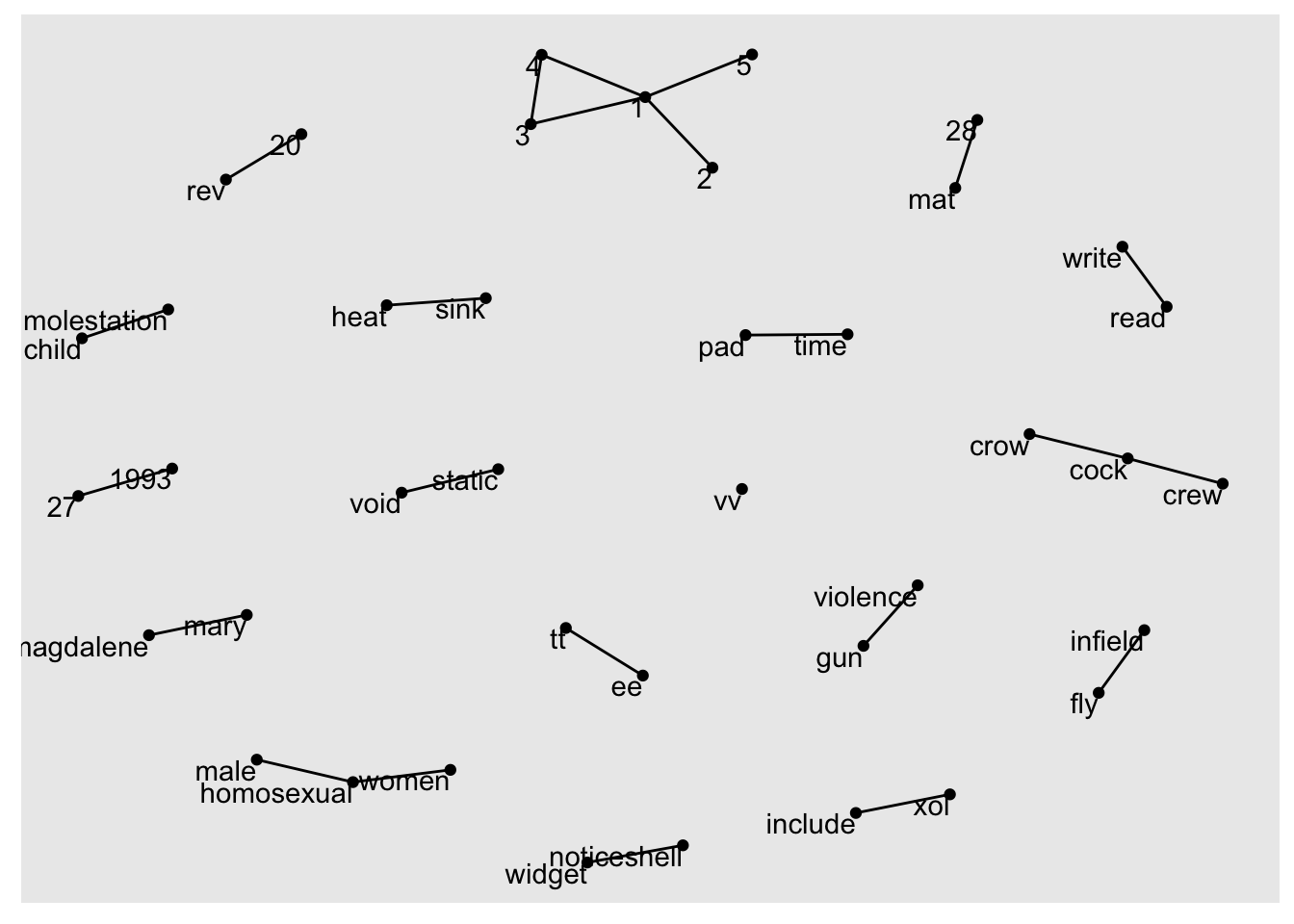
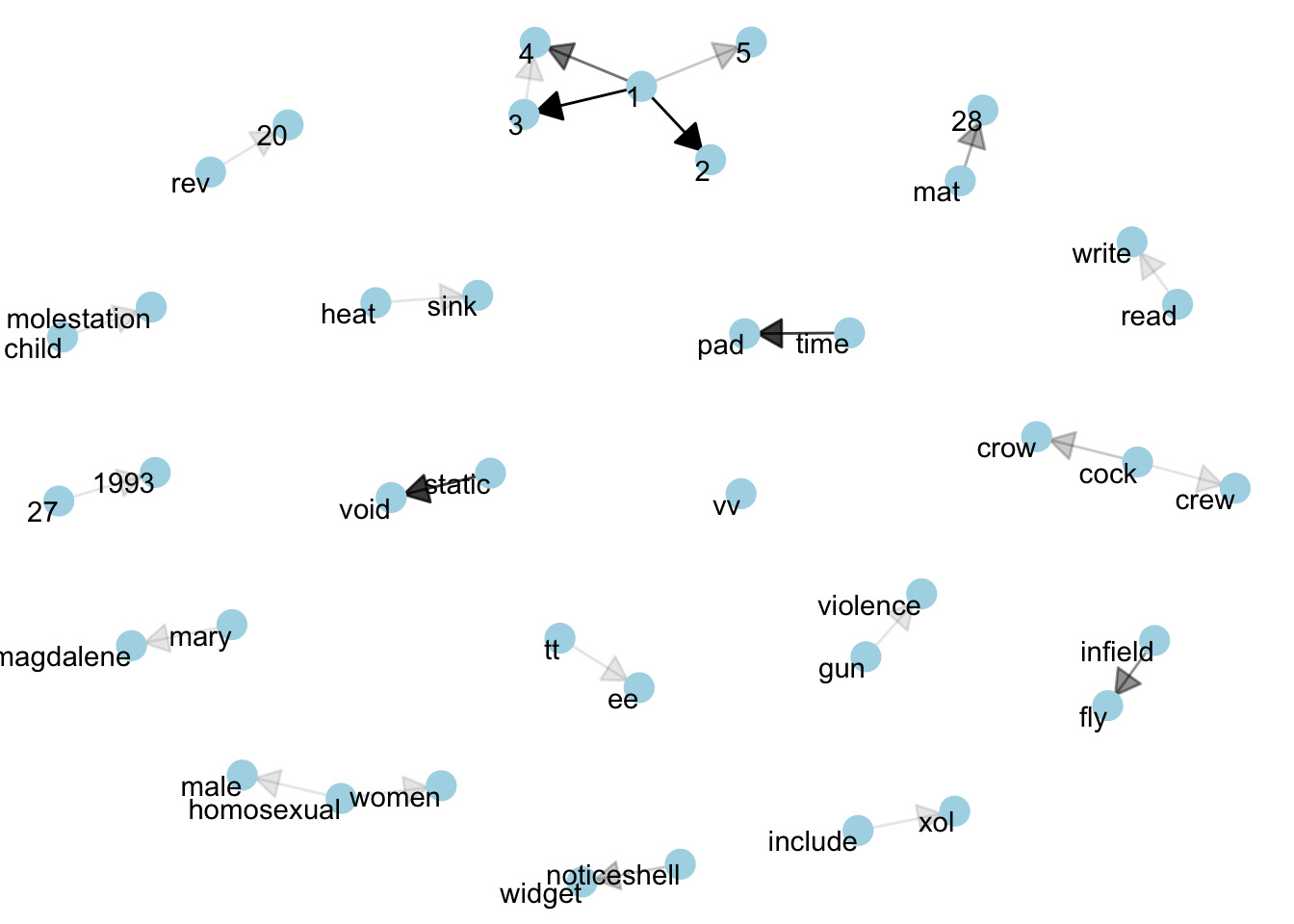
[22] read ->write rev ->20 tt ->ee Visualizing a network of bigrams with ggraph
ggraph package is used to plot the bigram
set.seed(1234)

ggraph(bigram_graph, layout = "fr") +
  geom_edge_link() +
  geom_node_point() +
  geom_node_text(aes(label = name),
                 vjust = 1,
                 hjust = 1)
Revised version
set.seed(1234)

a <- grid::arrow(type = "closed",
                 length = unit(.15,
                               "inches"))

ggraph(bigram_graph,
       layout = "fr") +
  geom_edge_link(aes(edge_alpha = n),
                 show.legend = FALSE,
                 arrow = a,
                 end_cap = circle(.07,
                                  'inches')) +
  geom_node_point(color = "lightblue",
                  size = 5) +
  geom_node_text(aes(label = name),
                 vjust = 1,
                 hjust = 1) +
  theme_void()